AI Automation Article
Make.com Error Handling: How to Stop a Broken Scenario from Silently Failing
A Make scenario is easy to trust. You build it, you test it once, it works — and then you stop looking at it. That is exactly when a quiet failure hurts. A step fails because a connection expired, a field came through empty, or an app was briefly down. The scenario stops, the data never arrives, and nobody notices until a lead, an order or a message has already gone missing.
Error handling is the fix. It is the part of a scenario that decides what happens when something goes wrong, instead of leaving the whole run to stop in silence. This post explains how it works in Make and a simple pattern you can add to any scenario.
What Error Handling Means in Make
By default, when a module in a Make scenario fails, the run stops at that module. Everything after it never happens. The failed run is recorded in the scenario history, but nothing alerts you and nothing retries it.
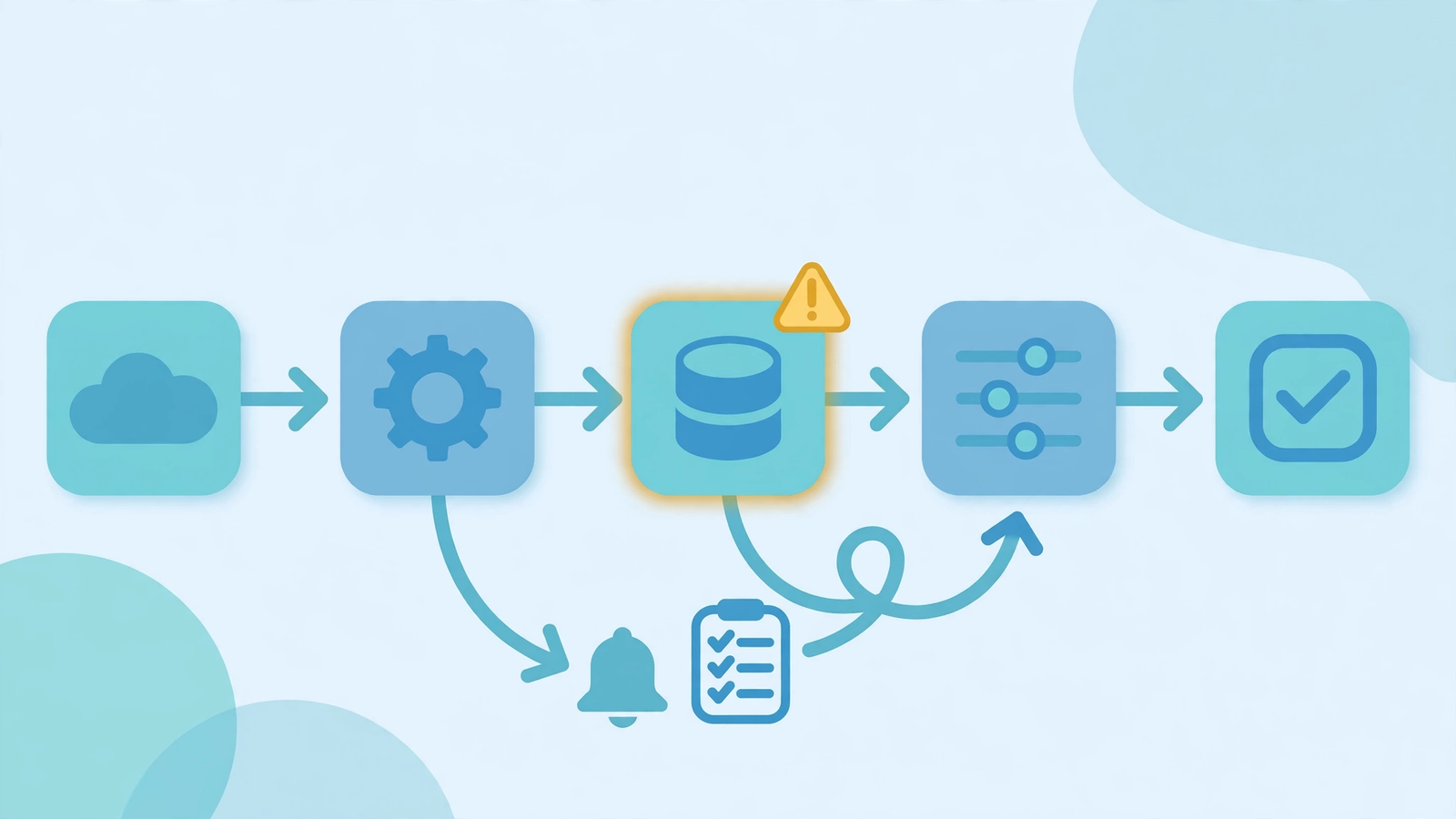
Error handling changes that default. You attach a second route to a module — an error handler route — that only runs when the module fails. On that route you decide what happens next: send yourself a notification, save the failed record somewhere safe, retry the step, or skip it and keep going. The main route stays clean; the error route is a side road that only opens when it is needed.
You add one by right-clicking a module in the scenario editor and choosing the error handler option. From there you pick a directive, which is Make's word for the instruction about what to do with the failed step.
Why Scenarios Fail Without Anyone Noticing
- Most failures come from a small list of causes:
- A connection breaks. A password changed, a token expired, or an app was reconnected and the old link stopped working.
- The data changes shape. A field that was always filled comes through empty this time, or a form adds a new option your mapping does not expect.
- A limit is hit. An app's rate limit, or the operations included in the plan, runs out mid-run.
- A service is briefly down. The app on the other end is having a bad ten minutes.
- An edit breaks a mapping. Someone renamed a field or changed a filter after the scenario was built.
None of these is dramatic on its own. The damage comes from the silence. A lead form that stops syncing to the CRM for a few days, or an order that never reaches the fulfilment sheet, is the kind of failure that only shows up when a customer asks where their reply is.
The Tools Make Gives You
Make has four pieces that work together for error handling.
Error handler directives. When a module fails, the directive tells Make what to do. Resume lets the scenario continue with a replacement value you choose. Ignore skips the failed step and carries on as if it had succeeded. Commit treats the run as finished and saves what has been done so far. Rollback undoes the run's changes. Break stops the run and stores it as an incomplete execution, so it can be finished later when the problem is fixed.
Incomplete executions. A failed run is stored, not thrown away. You can open it, see exactly which module failed and why, fix the cause, and run it again. This is the safety net that stops a failure from also being a data loss.
Scenario settings. Two settings matter most: whether the scenario stores incomplete executions, and whether it processes runs one at a time in order. Sequential processing is slower, but it keeps records in order and makes a failure much easier to trace.
Filters and routers. A filter before a fragile step can check that the data is present and in the right shape before the step runs at all. Catching a bad record early is cheaper than handling the error it causes.
If you want the broader picture of what Make scenarios look like when they work well, the earlier post on 5 Make workflows that save hours every week covers the building blocks this pattern sits on.
A Simple Error-Handling Pattern That Works for Most Scenarios
- You do not need a different plan for every scenario. This pattern fits most of them:
- Put an error handler on every module that talks to an outside app — the CRM, the email tool, the sheet, the payment app. Modules that only reshape data inside Make rarely need one.
- On the error route, send yourself a notification with the error message and the record that failed. An email or a team message works; the point is that a human hears about it the same day.
- Log the failure to a sheet as well, so there is one list of everything that failed and whether it was fixed.
- Use Break for temporary problems, like a service being down, so the run is stored and can be finished later. Use Ignore only when a single missing record genuinely does not matter.
- Keep the error route short. It should notify and log, not run a second version of the whole workflow.
Start with the scenario that moves money or leads — the one where a silent failure costs the most — and add the pattern there first. The rest can follow.
How to Test It Before It Matters
- Error handling that has never been tested is a guess. Test it on purpose:
- Run the scenario once with a record you know will fail — an empty required field, or a test contact with a bad email address.
- Check that the notification arrives and that the failed record appears in the log sheet.
- Open the incomplete executions list and confirm the run is stored there, with the error message readable.
- Fix the test record and run the stored execution again to confirm it completes.
If the test passes, the pattern works. If the notification never arrives, you have found the gap before a real lead did.
When a Scenario Keeps Failing
- A scenario that fails every run has a cause, and it is usually one of these:
- Check the connection first. Reconnect the app and run the scenario again. An expired connection is the most common single cause.
- Read the actual error message. It usually names the module and the problem, and guessing before reading it wastes time.
- Check the data. An empty or changed field is the next most common cause, and it often comes from a form or app that was edited after the scenario was built.
- Check the limits. Operations used up, or an app's rate limit, will stop a scenario at the same place every time.
- Simplify. Remove one module at a time until the failure stops, and the last module you removed is where the problem lives.
If the failure is on Make's side or an app's side and the data is fine, Break is the right directive: store the run, wait, and finish it when the service is back.
Frequently Asked Questions
What happens when a Make scenario fails?
The run stops at the module that failed, and nothing after it runs. The failed run is stored as an incomplete execution, so the data is not lost — but nothing alerts you unless you have set up an error handler or a notification.
What is the difference between Resume and Ignore?
Resume continues the scenario using a replacement value you choose for the failed step. Ignore skips the failed step entirely and continues as if it had worked. Resume is for steps where a fallback value is safe; Ignore is for steps where skipping is safe.
Should I use Break or Resume?
Use Break when the problem is temporary, such as a service being down, because it stores the run so you can finish it later. Use Resume when you have a sensible fallback value and the rest of the run should go ahead without waiting.
Do I need error handling on every module?
No. Put it on the modules that talk to outside apps and the ones where a failure would lose a lead, an order or a payment. Modules that only reshape data inside Make rarely need their own handler.
What is an incomplete execution?
It is a failed run that Make has stored instead of discarding. You can open it, see the error, fix the cause, and run it again from the point where it stopped.
The Bottom Line
A scenario without error handling is a scenario that fails silently, and silent failures are the expensive kind. Adding a short error route — notify, log, and store the run for later — takes a few minutes per scenario and turns a missing lead into a message you actually see.
Start with the scenario that matters most, test the error route on purpose, and check the incomplete executions list once a week. That small habit is what keeps an automation reliable after the day it was built.
If your automations need this kind of reliability built in from the start, the AI Lead Capture System is built around workflows that are monitored, not just switched on. And if Make is the tool you want to build on, the workflow automation service covers scenario design, error handling and maintenance as one piece of work.