AI Automation Article
Building Performant Voice AI Agents
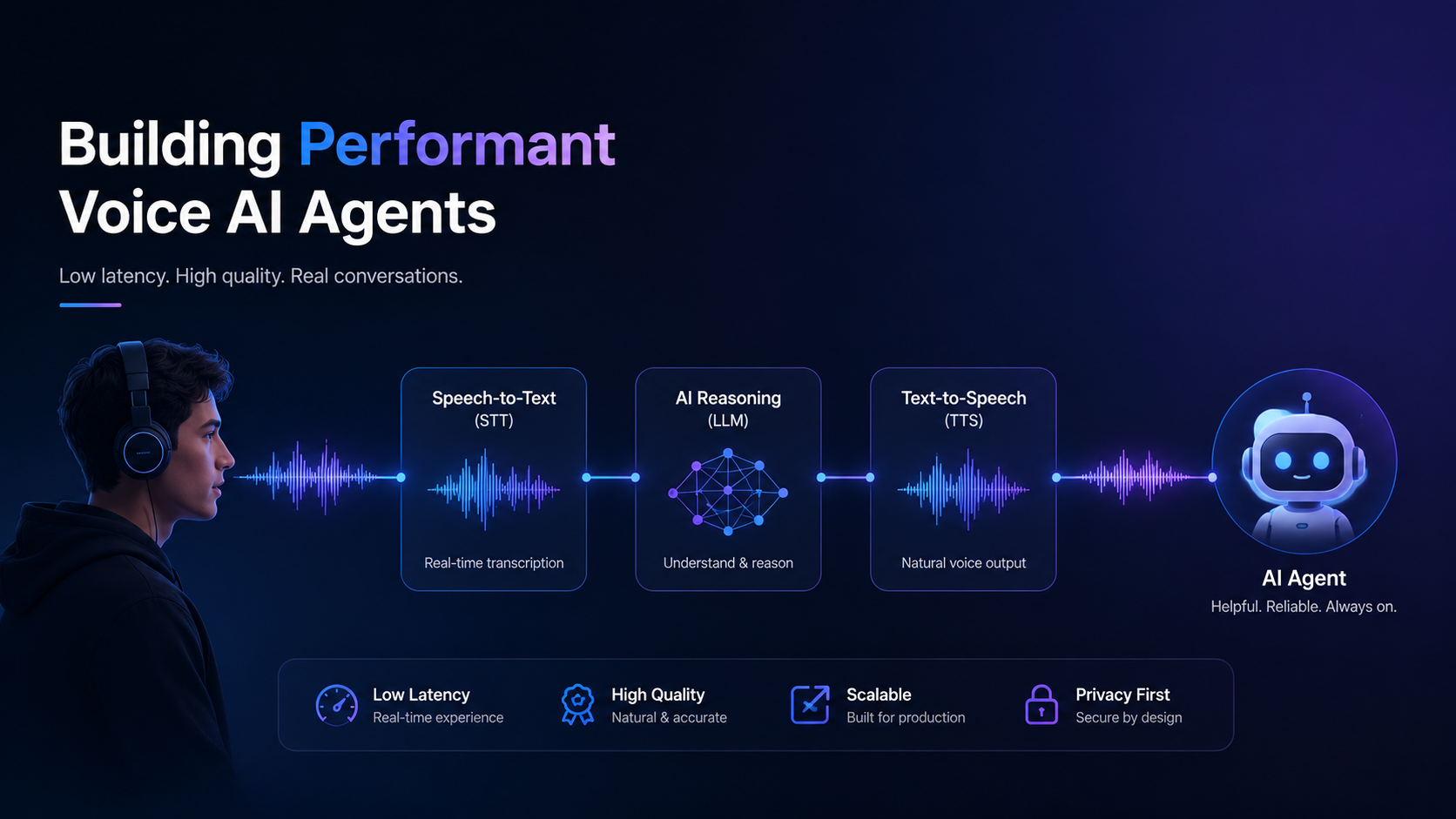
Custom AI voice agent development means building a system that takes spoken input, processes it through a large language model (LLM), and returns a spoken response in real time. The pipeline connects speech-to-text (STT), an LLM for reasoning, and text-to-speech (TTS) to create a conversational loop that feels natural to users.
The main benefits of building your own voice AI agent include lower costs at scale, full control over model selection, and the ability to optimize for your specific use case. You avoid vendor lock-in and can swap components as better models emerge.
The main uses for custom voice AI agents include language tutoring apps, customer support systems, healthcare appointment scheduling, and any application requiring real-time conversational AI with human-like interaction.
The main components are STT models, LLMs, TTS engines, streaming infrastructure, context management, interruption handling (barge-in), and client-server audio passing. Each piece needs careful tuning for latency, quality, and cost.
Over the past few months, I've been experimenting with different ways to implement high-performance voice AI agents for my personal project — Enkitalki, the language AI tutor app. It's been quite a journey — starting with quick prototypes, moving through a fully custom backend, and eventually settling on an open-source framework that hit the sweet spot between flexibility, cost, and maintainability.
In this post, I'll walk you through my three major iterations, what worked, what didn't, and why I'd recommend the path I ultimately took if you're building your own real-time conversational AI.
Iteration 1: The Quick Start with Vapi API
When I first started, I wanted to get something running quickly, so I turned to Vapi API — a service that lets you combine STT, LLMs, and TTS with minimal setup. All those parts integrate into an AI voice agent and are highly configurable.
What I liked:
Very easy to configure
- Flexible choice of models for each stage (STT, LLM, TTS)
Nice developer experience for rapid prototyping
The downsides:
Cost: pricing made it less viable at scale
- Model limitations: newer, faster, or cheaper models often weren't available yet
- Poor integration with React Native and mobile platforms (Android, iOS)
For an MVP, Vapi is fantastic. But for a production-grade system where cost efficiency and model variety matter, I quickly had to look for other options.
Iteration 2: Building the Backend from Scratch
The next step was ambitious. I decided to implement the full pipeline myself — connecting STT, LLM, and TTS directly, handling everything from streaming to context management in a Python backend service.
That meant:
Taking and grouping transcribed speech into meaningful chunks
Sending those chunks to the LLM
- Streaming the LLM's response into the TTS engine to reduce perceived latency
Streaming TTS output back to the client
- Implementing interruption handling and noise detection for smooth back-and-forth conversation (barge-in)
The goal was to get human-like conversation speed while keeping everything modular, configurable, and replaceable.
In the end, it worked eventually. But it was complex, brittle, and time-consuming to maintain. To build a truly performant, production-ready AI voice agent, there are many small features that need to be implemented: barge-in, streaming, passing chunks of audio between client and server, and more.
Iteration 3: Pipecat Framework
- Then I discovered Pipecat - an open-source framework for building AI agents.
- Pipecat essentially abstracts away all the glue code I had been writing by hand:
Standardized chunk passing between components
Built-in context storage
- Easy model swapping with many different models and services supported
Streaming support baked in
Rewriting the project with Pipecat was pretty fast. I used "vibe coding" and AI to execute the migration, and it went smoothly overall. Some parts required digging into Pipecat's codebase — for example, updating the LLM context on-demand wasn't documented very well. But overall, the experience was good.
As a result, I could achieve:
- Cost savings: roughly 3× cheaper than Vapi for my use case
- Better performance: I could integrate faster and more precise models for TTS and STT
- Flexibility: easy to customize specific logic without breaking the pipeline
In my case, switching from OpenAI's TTS model to minimax/speech-02-turbo or kokoro-82m saved a lot of money, and using Gladlia for STT helped as well. However, you need to test models for your own use case, as each comes with trade-offs. I'd suggest using artificialanalysis.ai, which provides valuable comparison data for initial decisions.
- Lessons Learned - Recommendations
- If you're thinking about building your own voice AI agent:
- For prototyping - Start with something like Vapi API to validate the concept quickly.
- For production - I'd suggest using Pipecat or another framework. Having a framework makes sense even for small projects.
Also:
Model experimentation is key. The landscape changes fast. Choose STT, TTS, and LLM models based on your needs for latency, quality, and cost. From my experience, GPT-5 is too slow for voice AI agent use cases.
Streaming is essential. The closer you get to real-time, the more natural the user experience. Without streaming in all stages, the experience feels too laggy.
Today, it's entirely possible to build low-cost, high-performance voice AI agents without massive infrastructure investment. Frameworks like Pipecat make it both approachable and scalable.
So start experimenting. The tools are ready.